Enterprise AI Building Blocks: MCP Gateway… A Tiny One
Repository: https://github.com/massimorofi/tinymcp
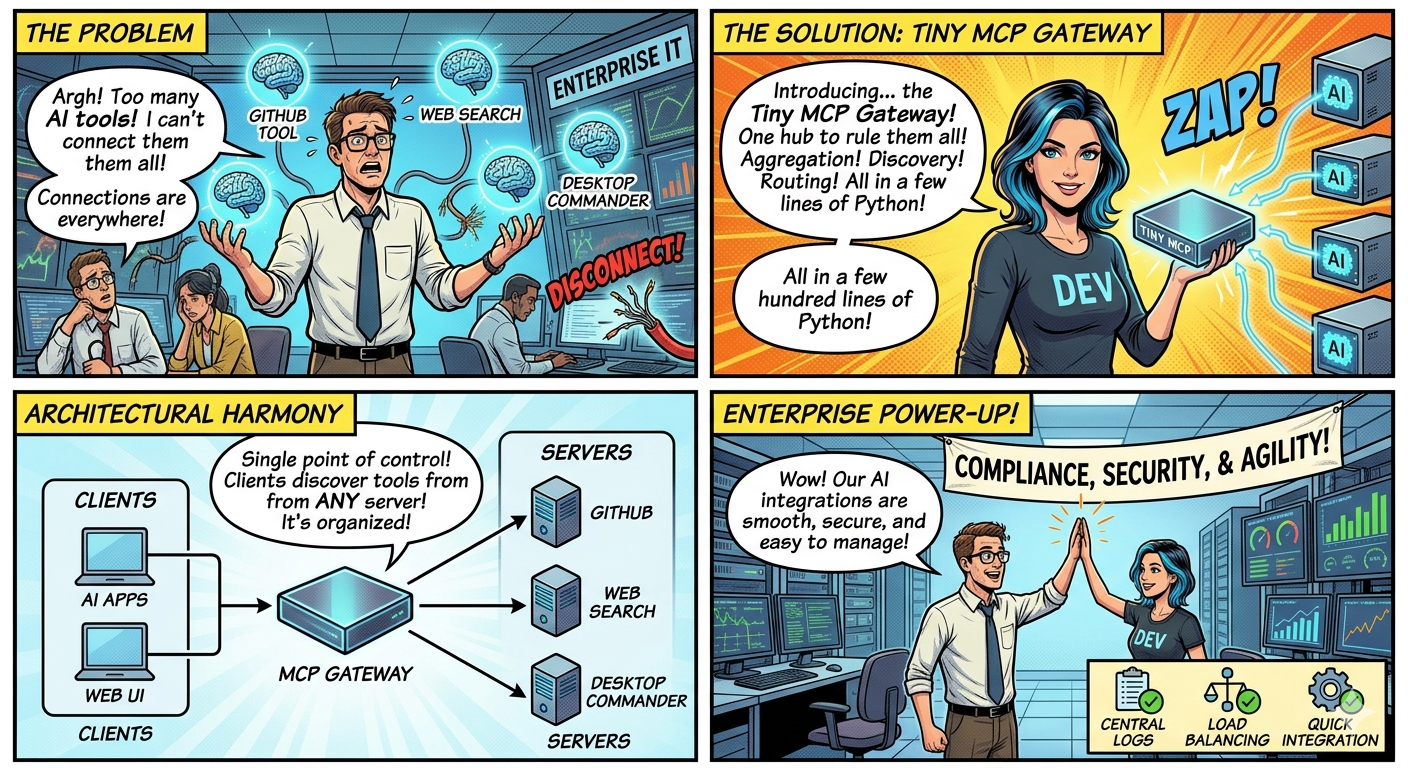
As enterprise organizations increasingly integrate AI into their workflows, they face a critical challenge: how to seamlessly connect multiple AI tools, services, and capabilities into a unified, manageable system. This is where the Model Context Protocol (MCP) Gateway comes in. Think of it as a traffic director for your AI applications—a unified gateway that orchestrates multiple AI servers, manages connections, and exposes tools to clients through a single, standardized interface.
In this article, we’ll explore what an MCP Gateway is, why it’s essential for enterprise setups, and most importantly, how to build one in Python. We’ll use TinyMCP as our playground implementation—a lightweight yet useful gateway that demonstrates how a few hundred lines of Python code can solve a complex architectural problem. It is not a production ready project but can be used to play around with teh concepts we will discuss below.
What Is an MCP Gateway?
Before diving into the gateway itself, let’s briefly understand MCP. The Model Context Protocol (MCP) is a standardized protocol that enables communication between AI clients and servers. It allows clients to discover available tools, request capabilities, and execute operations across different services.
MCP Protocol Info:https://modelcontextprotocol.io/
An MCP Gateway is essentially a hub that aggregates multiple MCP servers and presents them as a unified endpoint. Instead of your AI applications needing to connect directly to each individual MCP server, they connect to the gateway, which handles:
- Server Discovery - Finding and listing all available MCP servers
- Tool Aggregation - Collecting tools/capabilities from multiple servers
- Connection Management - Maintaining connections to backend servers
- Request Routing - Forwarding client requests to the appropriate server
- Session Management - Maintaining stateful conversations with clients
Think of it like a switchboard operator who knows everyone and connects callers to the right department, rather than having each caller figure out who to call directly.
Why Is This Useful? (Especially in Enterprise)
Enterprise environments are complex. Unlike a solo developer with a single AI application, enterprises typically have:
- Multiple AI Tools: GitHub tools, Web search, desktop control, content generation, etc.
- Different Teams: Each using different systems and services
- Compliance Requirements: Central logging, monitoring, and access control
- Scaling Challenges: Growing number of AI applications and tools
- Integration Complexity: Connecting disparate systems seamlessly
The MCP Gateway pattern solves real problems that enterprises face:
- Cost Reduction: Fewer integration points = less maintenance overhead
- Time to Value: New tools can be added without redeploying client applications
- Compliance: Centralized logging and audit trails for regulatory requirements
- Developer Experience: Simpler APIs for application developers to consume AI capabilities
- System Resilience: Gateway can implement failover and retry logic transparently
- Technology Evolution: Swap backend servers or upgrade technologies without client changes
Here’s where an MCP Gateway shines:
1. Centralized Access Control
Instead of each application managing authentication and authorization to multiple servers, the gateway becomes the single point of control. You can implement:
- Token management
- Rate limiting per client
- Audit logging of all operations
- Permission enforcement at the gateway level
2. Simplified Client Development
Developers building AI applications no longer need to understand the internals of every MCP server. They connect to the gateway, discover available tools, and use them—much like using a REST API.
3. Seamless Server Addition
Need to add a new AI tool or capability? Register it with the gateway, and all existing clients can immediately access it. No code changes required in client applications.
4. Unified Monitoring and Logging
All interactions flow through the gateway, making it trivial to implement:
- Health monitoring for all backend servers
- Centralized logging of all tool usage
- Performance metrics and analytics
- Bottleneck identification
5. Load Distribution
The gateway can route requests intelligently, implementing load balancing across multiple instances of the same server or failover strategies.
6. Technology Agnostic
Servers can use different transports (local processes, SSH, Docker, HTTP) and the gateway abstracts these differences away from clients.
How the MCP Gateway Works: Architecture
To better understand the MCP platform topology and the deplyment of an MCP Gateway, I have build a “toy” one. (no autentication or policies or other capabilities that are mandatory for a coprorate environment). To simulate a distributed environment, as playground, we will deploy 3 MCP servers and connect them to the gateway. Let’s understand the architecture:
AI Apps, Web UI, Chat Interfaces] -->|SSE Connection| B[MCP Gateway
Central Hub] subgraph B[MCP Gateway] F1[Session Manager] F2[Request Router] F3[Server Registry] end B -->| Routes to | C[GitHub Server] B -->| Routes to | D[Web Search Server] B -->| Routes to | E[Desktop Commander] style A fill:#666666,stroke:#333,stroke-width:2px,color:#000,font-size:14px style B fill:#000088,stroke:#333,stroke-width:2px,color:#000,font-size:14px style C fill:#008800,stroke:#333,stroke-width:2px,color:#000,font-size:14px style D fill:#008800,stroke:#333,stroke-width:2px,color:#000,font-size:14px style E fill:#008800,stroke:#333,stroke-width:2px,color:#000,font-size:14px style F1 fill:#606060,stroke:#333,stroke-width:2px,color:#000,font-size:14px style F2 fill:#606060,stroke:#333,stroke-width:2px,color:#000,font-size:14px style F3 fill:#606060,stroke:#333,stroke-width:2px,color:#000,font-size:14px
The gateway maintains a registry of available servers, each accessible via different transports:
- stdio: Local process-based servers
- sse: Remote servers accessible via HTTP
- docker-stdio: MCP servers running in Docker containers
When a client connects:
- It establishes an SSE connection to the gateway
- It requests a list of available servers
- It discovers tools from those servers
- It executes tools by sending requests to the gateway
- The gateway routes the request to the appropriate server and returns the response
Building an MCP Gateway with TinyMCP
Now for the practical part. TinyMCP is a minimal, MCP Gateway written in Python. Let’s see how to build and run it.
Prerequisites
Ensure you have the following installed:
- Python 3.10 or higher
- Git
- Docker & Docker Compose (optional, for advanced deployments)
- Basic familiarity with REST APIs and async Python
Step 1: Clone and Setup TinyMCP
1
2
3
4
5
6
7
8
9
10
# Clone the repository
git clone https://github.com/massimorofi/tinymcp.git
cd tinymcp

# Create a virtual environment
python3 -m venv venv
source venv/bin/activate  # On Windows: venv\Scripts\activate

# Install dependencies
pip install -r requirements.txt
The repository includes everything you need:
- FastAPI application code
- Configuration system
- Server registry
- Frontend UI for testing
- Docker support
- Comprehensive documentation
Step 2: Configure Your MCP Servers
Create or edit the config.json file to register the MCP servers you want to aggregate:
1
2
3
4
5
6
7
8
9
10
11
12
13
14
15
16
17
{
  "mcpServers": {
    "github": {
      "transport": "stdio",
      "command": "uvx",
      "args": ["mcp-server-github"]
    },
    "web-search": {
      "transport": "sse",
      "url": "http://localhost:3002/mcp"
    },
    "desktop-commander": {
      "transport": "docker-stdio",
      "container": "mcp-desktop-commander-1"
    }
  }
}
Each server entry specifies:
- transport: How to connect (stdio, sse, or docker-stdio)
- command/args: For stdio servers, the command to run
- url: For SSE servers, the remote endpoint
- container: For Docker servers, the container name
Step 3: Start the Gateway
Option A: Direct Python execution (for development):
1
./scripts/start.sh
Option B: Docker Compose (recommended for production):
1
2
3
4
5
6
7
docker-compose -f compose_mcp_servers_test.yml up -d --build

# Check logs
docker-compose -f compose_mcp_servers_test.yml logs -f mcp-gateway

# Stop services
docker-compose -f compose_mcp_servers_test.yml down
The gateway will start on http://localhost:8080.
Step 4: Access the Gateway
The gateway provides several access points:
Web Interface: Open your browser to http://localhost:8080
- Visual display of registered servers
- Tool discovery interface
- Parameter input forms
- Result viewing
REST API Endpoints:
| Endpoint | Method | Purpose |
|---|---|---|
/ |
GET | Health check and gateway info |
/healthz |
GET | Simple health status |
/registry/servers |
GET | List all registered servers |
/registry/servers |
POST | Register a new server |
/sessions |
POST | Create a new session |
/execute |
POST | Execute a tool |
/sse |
GET | SSE connection endpoint |
/docs |
GET | Interactive Swagger API documentation |
Step 5: Register a New Server Dynamically
You don’t need to restart the gateway to add servers. Use the REST API:
1
2
3
4
5
6
7
8
9
10
11
12
13
14
15
16
17
18
19
20
21
22
23
24
25
26
27
# Register a new stdio-based server
curl -X POST http://localhost:8080/registry/servers \
  -H "Content-Type: application/json" \
  -d '{
    "id": "github-tools",
    "transport": "stdio",
    "command": "uvx",
    "args": ["mcp-server-github"]
  }'

# Register a remote SSE server
curl -X POST http://localhost:8080/registry/servers \
  -H "Content-Type: application/json" \
  -d '{
    "id": "remote-ai-service",
    "transport": "sse",
    "url": "https://your-ai-service.com/mcp"
  }'

# Register a Docker-based server
curl -X POST http://localhost:8080/registry/servers \
  -H "Content-Type: application/json" \
  -d '{
    "id": "desktop-commander",
    "transport": "docker-stdio",
    "container": "tinymcp-desktop-commander-1"
  }'
Step 6: Use the Gateway from Your Application
Create a Python client to interact with the gateway:
1
2
3
4
5
6
7
8
9
10
11
12
13
14
15
16
17
18
19
20
21
22
23
24
25
26
27
28
29
30
31
32
33
34
35
36
37
38
39
40
import httpx
import asyncio

async def example_gateway_client():
    """Example client showing how to use the MCP Gateway"""

    base_url = "http://localhost:8080"
    client = httpx.AsyncClient(timeout=30.0)

    # Create a session
    print("Creating session...")
    session_response = await client.post(f"{base_url}/sessions")
    session_id = session_response.json()["session_id"]
    print(f"Session created: {session_id}")

    # List available servers
    print("\nDiscovering servers...")
    servers_response = await client.get(f"{base_url}/registry/servers")
    servers = servers_response.json()

    for server in servers:
        print(f"  - {server['id']}: {server.get('status', 'unknown')}")

    # Get tools from a specific server
    print("\nDiscovering tools...")
    tools_response = await client.post(
        f"{base_url}/execute",
        json={
            "server": "github",
            "tool": "list_tools"
        },
        headers={"X-Session-ID": session_id}
    )
    print(f"Tools response: {tools_response.json()}")

    await client.aclose()

# Run the example
if __name__ == "__main__":
    asyncio.run(example_gateway_client())
Understanding TinyMCP’s Implementation
Let’s peek under the hood to understand how TinyMCP works:
Core Components
1. Registry System (registry.py)
Manages server registration and discovery. Supports dynamic registration via API.
2. Execution Engine (execution.py)
Handles session management, server communication, and request routing. Maintains heartbeats to detect server availability.
3. Transport Abstractions (transports.py)
Provides unified interfaces for different server transports (stdio, SSH, Docker, SSE).
4. FastAPI Application (main.py)
REST API endpoints for client interaction, server management, and health monitoring.
5. Frontend (frontend/)
Modern web UI for testing and managing the gateway.
The beauty of TinyMCP is that it abstracts away the complexity of different transport protocols. Whether a server runs locally as a subprocess, inside Docker, or remotely via HTTP, the client sees the same unified interface.
Enterprise Integration Patterns
How a gateway can be integrated in the enterprise ecosystem ? What are the patterns?
Pattern 1: Central Hub with Team Services
Sales, Engineering, Operations] -->|Access| B[MCP Gateway] B -->|CRM| C[CRM Tools] B -->|Database| D[DB Tools] B -->|Sales| E[Sales Tools] B -->|HR| F[HR Tools] B -->|Finance| G[Finance Tools] style A fill:#666666, stroke:#333,stroke-width:2px,color:#000,font-size:14px style B fill:#000088, stroke:#333,stroke-width:2px,color:#000,font-size:14px style C fill:#008800, stroke:#333,stroke-width:2px,color:#000,font-size:14px style D fill:#008800, stroke:#333,stroke-width:2px,color:#000,font-size:14px style E fill:#008800, stroke:#333,stroke-width:2px,color:#000,font-size:14px style F fill:#008800, stroke:#333,stroke-width:2px,color:#000,font-size:14px style G fill:#008800, stroke:#333,stroke-width:2px,color:#000,font-size:14px
Pattern 2: Regional Gateways with Federation
Multi-Region] -->|Federation| B[EU Gateway
GDPR Safe] A -->|Connects to| C[US Regional
Servers] B -->|Connects to| D[EU Regional
Servers] style A fill:#666666, stroke:#333,stroke-width:2px,color:#000,font-size:14px style B fill:#000088, stroke:#333,stroke-width:2px,color:#000,font-size:14px style C fill:#008800, stroke:#333,stroke-width:2px,color:#000,font-size:14px style D fill:#008800, stroke:#333,stroke-width:2px,color:#000,font-size:14px
Pattern 3: AI App with Gateway Backend
Conclusion
The MCP Gateway pattern is a powerful architectural tool for enterprises adopting AI. It decouples clients from the complexity of managing multiple AI services, provides a unified interface for tool discovery and execution, and enables centralized management and monitoring.
TinyMCP demonstrates that building this infrastructure doesn’t require thousands of lines of complex code. With Python, FastAPI, and the MCP SDK, you have a solid foundation that can grow with your enterprise’s needs.
Whether you’re building an internal AI platform for your organization, creating a multi-agent system, or integrating AI capabilities into existing applications, consider adopting the gateway pattern. Start with TinyMCP, understand the architecture, and adapt it to your specific requirements.
The future of enterprise AI isn’t isolated AI applications—it’s orchestrated, managed systems that work together seamlessly. And the gateway is your control center.
.appendix
TinyMCP Deployment Considerations
If you want to play loaclly with TinyMCP. I suggest to look at the following instructions.
Development
Start with the local script:
1
./scripts/start.sh
Staging/Testing
Use Docker Compose for reproducibility:
1
docker-compose -f compose_mcp_servers_test.yml up
Environment Configuration
Consider:
- Environment Variables: Configure via
.envHOST: Bind address (default: 0.0.0.0)PORT: Listen port (default: 8080)SECRETS_PATH: Path to authentication secrets-
Further improvements (to be developed)
- Monitoring: Hook into gateway logs for:
- Server health status
- Tool execution metrics
- Error rates and types
- Latency analysis
-
Load Balancing: Run multiple gateway instances behind a load balancer for high availability
- Security:
- Implement authentication middleware
- Use TLS/SSL for all connections
- Validate and sanitize all inputs
- Implement rate limiting
Troubleshooting Common Issues
Issue: “Server not responding”
The gateway maintains heartbeats to backend servers. If a server doesn’t respond:
1
2
3
4
✓ Check if the server process is running
✓ Verify network connectivity
✓ Check gateway logs for connection errors
✓ Ensure proper configuration format
Issue: “Tool execution timeout”
If tools hang or timeout:
1
2
3
4
✓ Check server logs for errors
✓ Increase timeout configuration if tools are legitimately slow
✓ Monitor server resource usage (CPU, memory)
✓ Implement request cancellation mechanisms
Issue: “Configuration not updating”
If adding servers via API doesn’t work:
1
2
3
4
✓ Verify config.json is writable
✓ Check API response for error messages
✓ Restart gateway after config changes (if using static config)
✓ Use the REST API instead of editing config manually
Issue: “SSE connection drops”
For remote SSE servers:
1
2
3
4
✓ Verify network stability
✓ Check firewall rules
✓ Implement connection retry logic
✓ Monitor gateway logs for disconnection reasons
Performance and Scaling
TinyMCP is designed to be lightweight:
- Minimal Overhead: FastAPI + async Python means low memory footprint
- Connection Reuse: Maintains persistent connections to servers
- Async Operations: Non-blocking I/O throughout the codebase
- Horizontal Scaling: Run multiple gateway instances for load distribution
Benchmarks from our testing:
- Tool discovery: ~100ms per server
- Tool execution: Determined primarily by the underlying server
- Concurrent connections: Tested with 100+ concurrent clients
- Memory usage: ~150MB for 10 registered servers
This blog post is based on the TinyMCP project. Check out the GitHub repository for the latest code, documentation, and examples.
-
Previous
Mastering Local AI Agents: A Complete Guide to Setting Up Claude Code with Ollama & Qwen 3.5 -
Next
Skills Matter !